
How much electricity consumed by a 3D printer?

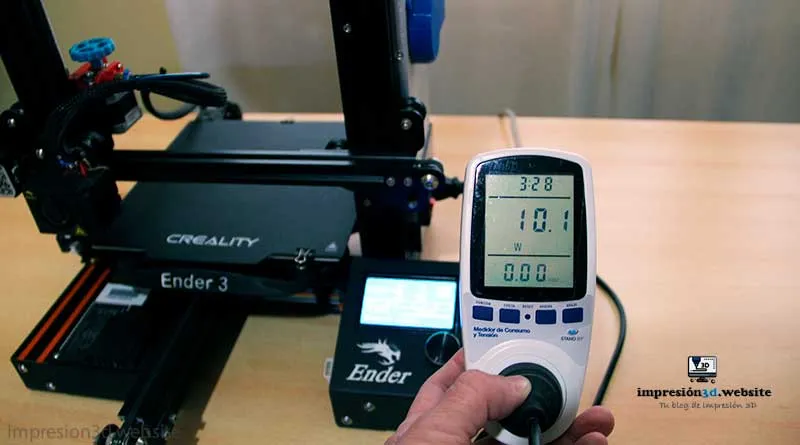
A desktop 3D printer can consume between 50 and 350 watt hours and cost approximately €0.006 to €0.018 per hour..
You've probably wondered how much electricity your 3D printer consumes and what its impact is on the cost of your electricity bill.
In this article, I will provide you with all the information you need to know the power consumption of a 3D printer, specifically focusing on the popular Ender 3, and how to calculate it.
I will also give you some tips on how to save energy when printing and evaluate the energy efficiency of these devices compared to other common household appliances.
How to know how much electricity a 3D printer consumes
To know how much electricity your 3D printer consumes, you can use an electricity consumption meter.
This device can be connected between the 3D printer and the power outlet and measures the amount of electricity used during a given period of time.
Some meters also offer additional functions, such as calculating the monetary cost of electricity consumption.
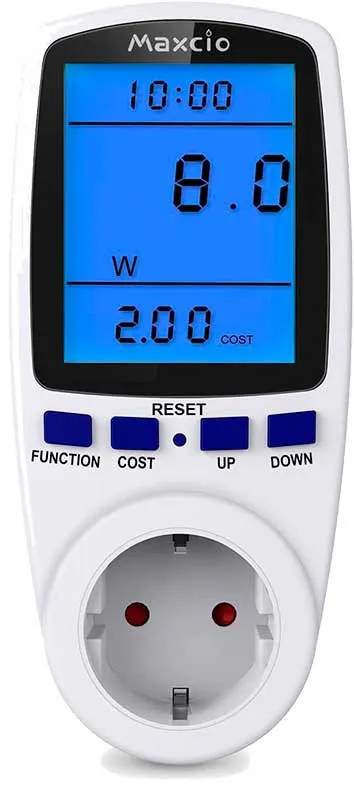
These meters are easy to use, simply plug your 3D printer into the meter and the meter into the power outlet, then let the printer run normally for a specified time, such as one hour.
After that time, you will see on the meter the electricity consumption in kilowatt-hours (kWh), which is the standard unit for measuring electricity consumption.
You can also calculate the cost of electricity used by your printer by multiplying the kWh consumption by the kWh cost in your region.
These electricity consumption meters are available in specialized stores and online platforms such as Amazon and Mercado Libre.
Here is a link to amazon of a Consumption Meter that has more than 1800 ratings.
How much electricity does a 3D printer consume per hour?
The power consumption of a 3D printer can vary depending on the model, brand and specific features of the printer.
On average, a 3D printer consumes about 50 to 350 watts per hour while printing.
In the case of the Ender 3, a very popular 3D printer among hobbyists and beginners, its power consumption can be approximately 50 to 270 watts per hour during printing.
It is important to keep in mind that consumption varies according to the material used, the temperature of the nozzle and print bed, the printing speed and other factors.
How to calculate the consumption of a 3D printer
If you want to calculate the energy consumption of your 3D printer, you can follow a simple formula:
Energy consumption = Printer power (in watts) x Printing time (in hours) x kWh cost in your region (in money).
For example, if your 3D printer has a power of 150 watts and you have used it for 2 hours for a print, and the cost per kWh in your area is 0.12 euros, the calculation would be as follows:
Energy consumption = 150 watts x 2 hours x 0.12 euros/kWh = 36 cents.
With this calculation, you can get a more accurate idea of how much it costs in money to print with your 3D printer.
Remember that as you make more prints, you will add up the cost of each print to get the total electricity cost.
How much electricity does an Ender 3 use?
The Ender 3 is known to be a power-efficient 3D printer. Let's see how its power consumption varies in different states:
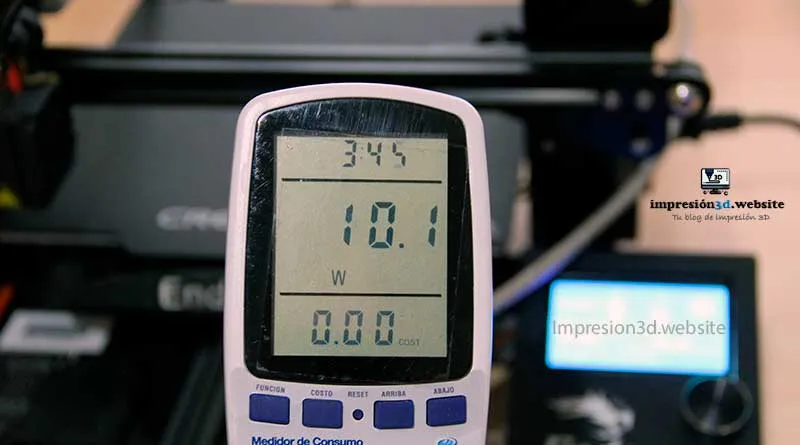
Resting:
When the printer is in standby mode, i.e. on but not printing, the power consumption is minimal, generally around 10 watt hours.
In this state, the printer is ready to receive commands and does not require much power.
Warming up:
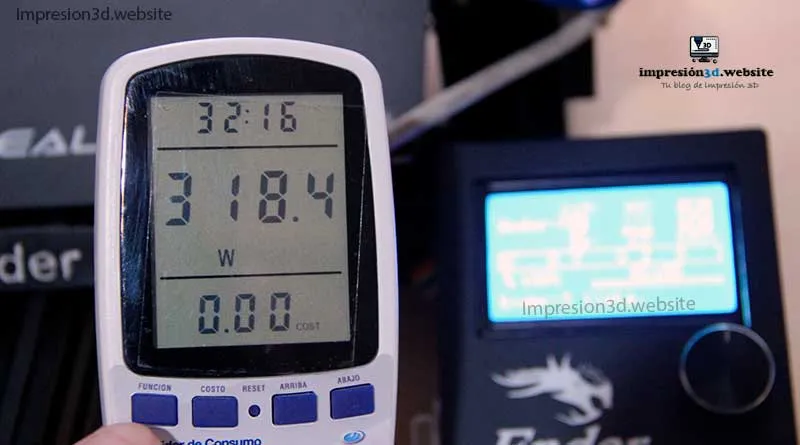
During heating of the nozzle and print bed, power consumption increases.
In this state, the Ender 3 can consume around 50 to 320 watt hoursdepending on the temperature at which the components are being heated.
Heating only the nozzle, the Ender 3 consumes on average about 50 watts.
On the other hand, heating only the heated bed, the Ender 3 consumes on average about 250 watts.
printing:
During the printing process, the Ender 3 typically maintains a constant power consumption of approximately 50 watt hoursThe system is capable of up to 270 watts of power to keep the print bed warm.
In that range is where the consumption is maintained while the printer works on creating your model.
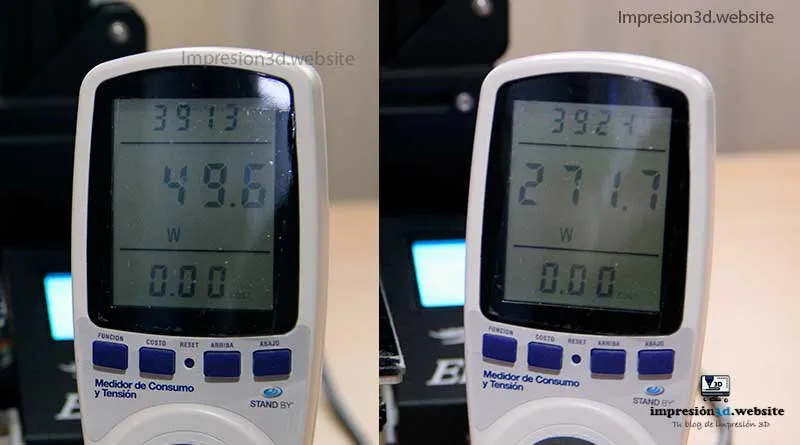
It is important to note that these values are approximate and may vary depending on the specific configuration of your printer, as well as the model and print quality you are printing.
How much does 3D printing cost?
The cost of 3D printing depends on several factors, such as the material used, the size of the model and the power consumption of the printer.
Energy expenditure is only a part of the total cost of 3D printing, but it is important to keep it in mind.
To calculate the total cost of a 3D print, you must add up the power consumption, the cost of the material used (filament), and any additional costs, such as printer usage time and component wear and tear.
- Economical 3D printer200 euros approx (Here you can see a Top 10 Best 3D Printers for Beginners)
- Average cost of 1k filament20 euros (Here you can see the best selling filaments on Amazon)
- Average kWH energy cost: € 0.12
The cost of printing material varies depending on the type and brand of filament used. You may also consider the cost of printing time, especially if you are using a printer in a commercial environment.
Here you can see how much electricity your 3D printer consumes. in relation to the price per kWH:
- Average kWh Price - € 0.12
- 3D Printer Electricity Usage : from 0.05 to 0.15 kWh
If the 3D printer works without interruption, you can expect to pay the following:
- Per hour - €0.006 y €0.018
- Per day : € 0.15 y € 0.43
- Per year : € 54.75 y € 157.68
If you want to get a more accurate estimate of the total cost of printing a specific model, I recommend using online calculators that will help you estimate material costs and electricity consumption for a particular print.
Here is the link to the 3D printing price calculator by Prusa research
Factors affecting the power consumption of the 3D printer
The power consumption of a 3D printer can vary due to different factors. Some of the main elements that can affect power consumption are as follows:
- Printer size
- Hot bed size
- Hotend/Printing temperature
- Motherboard, fans, stepper motors and screen
- The number of printing hours
Printer size: Larger 3D printers with higher print volumes generally consume more power due to the need to move larger and heavier components.
Hot bed size: The hot bed is one of the most energy-consuming parts of a 3D printer. The larger the bed, the higher the power consumption to reach and maintain the desired temperature.
Hotend or printing temperature: If you are printing at higher temperatures, energy consumption will increase, as more energy is required to heat the nozzle and media to higher temperatures.
Motherboard, fans, stepper motors and screen: All electronic components and motors in the printer require power to operate, so a printer with more functions and components may consume more electricity.
Number of printing hours: Obviously, the more time you spend printing, the more power your 3D printer will consume. If you make long or continuous prints, the power consumption is likely to be more significant.
It is essential to take these factors into account when evaluating how much electricity your 3D printer consumes and making comparisons with other models or brands to find the most efficient option for your needs.
How to save energy when 3D printing
If you are concerned about the power consumption of your 3D printer and want to save energy, here are some practical tips:
1- Reduces printing hours: Optimize your models to reduce printing time whenever possible. Use fillers and thinner layers only when necessary.
2- Do not use the heated bed when printing with PLA: Some materials, such as PLA, do not require a hot bed to bond properly. When printing with PLA, disabling the hot bed can save a significant amount of energy.
3- Enclose the 3D printer in a box: An enclosed box around the printer can help keep the ambient temperature more constant, which may reduce the need to overheat the bed or nozzle.
4- Optimizes printing speed: Adjusting the print speed appropriately can reduce the total printing time and, therefore, the power consumption.
5- Turn off the printer when it is not in use: If you are not printing, turn off the printer to avoid unnecessary power consumption in sleep mode.
These tips will help you reduce the power consumption of your 3D printer and, at the same time, save money on your electricity bill.
Are 3D printers energy efficient?
To evaluate the energy efficiency of a 3D printer, it is useful to compare its power consumption with that of other common household appliances.
Here is a comparison chart of the average power consumption of an Ender 3 3D printer with other devices:
| Device | Power consumption (watts per hour) |
|---|---|
| Ender 3 3D Printer | 50-350 |
| Electric kettle | 1000-3000 |
| Fridge | 100-200 |
| Electric oven | 2000-3000 |
| Microwave | 600-1500 |
| Electric iron | 1000-1500 |
| Computer | 300-600 |
| Video game console | 50-200 |
| Led tv | 25-175 |
| Wi-Fi Router | 5-20 |
| Vacuum cleaner | 500-1800 |
| Toaster | 600-1500 |
As you can see, the Ender 3 3D printer is much more efficient in terms of power consumption compared to other common household appliances, especially those that require high power, such as the electric kettle and oven.
It is important to remember that the energy efficiency of your 3D printer can be further improved by implementing energy-saving practices, such as those mentioned above.
Conclusions:
A desktop 3D printer can consume between 50 and 350 watt hours and cost approximately €0.15 to €0.43 per day.
The Ender 3, being a popular and efficient 3D printer, offers reasonable power consumption, especially when compared to other electrical devices in the home.
By using power consumption meters and following energy saving tips, you can optimize the power consumption of your 3D printer and enjoy high quality prints without compromising performance.
Remember that each 3D printer is different, so it is important to know the specifications and features of your specific model to obtain information about its power consumption.
Frequent questions
How much electricity does a 3D printer use per hour?
The power consumption of a 3D printer can vary depending on the model and operating status. On average, a 3D printer consumes about 50 to 350 watts while printing. and between €0.006 and €0.018 per hour.
How much electricity does an Ender 3 use?
The Ender 3, a popular and efficient 3D printer, consumes approximately 50 to 270 watts per hour while it is printing. It also consumes a minimal amount of electricity when idle, approximately 10 watts.
How do I know how much power my 3D printer consumes?
You can find out how much power your 3D printer consumes using an electricity consumption meter. These devices connect between the printer and the electrical outlet and measure consumption in kilowatt-hours (kWh).
You can also calculate the consumption by multiplying the printer power in watts by the printing time in hours and the cost per kWh in your region.
How many kWh does a 3D printer consume per hour?
The power consumption of a 3D printer can vary depending on the model and operating conditions. On average, a 3D printer can consume about 0.05 to 0.3 kWh per hour while printing.


Responses