Top 10 most common 3D printing mistakes and how to avoid them

If your parts are flawed, do not adhere to the bed or come out deformed, you are probably making one of these 3D printing mistakes.
It can be frustrating when things don't go as expected. Here's how to fix them.
1. Poor adhesion to the printing bed
If the first layer does not stick well, everything else will fail.
Solution:
- Level the bed correctly. Use a sheet of paper or calibrate with automatic sensors.
- Clean the surface well. Remains of grease or dust can ruin the adhesion. Use isopropyl alcohol.
- Adjusts the temperature. Raise the bed temperature (e.g. PLA to 60°C, ABS to 100°C).
- Use adhesives if necessary. Lacquer, glue stick or painter's tape can help.
Suggested publication:
2. Printing with warping (corner detachment)
Warping occurs when the corners of the part are lifted and deformed.
Solution:
- Use a warm bed. For ABS and other sensitive materials, a constant temperature is key.
- Apply a border or skirt. This improves adhesion and reduces thermal stress.
- Controls the ambient temperature. Avoid drafts and use a closed box if printing with ABS.
Suggested publication:
3. Under-extrusion (lack of material in the impression)
If the layers look thin or there are gaps in the part, the extruder is not pulling enough material.
Solution:
- Calibrate the extrusion flow. Adjust the value in the software so that the filament flows correctly.
- Check the nozzle. It may be clogged; clean it with a needle or use a «cold pull.».
- Make sure that the filament moves freely. A filament stuck in the spool can cause this problem.
Suggested publication:
4. Overextrusion (too much material)
If the layers look flattened or there is excess material in the parts, the printer is extruding more than necessary.
Solution:
- Reduces the flow in the software. A setting between 90-95% usually corrects the problem.
- Calibrate the extruder. It measures whether the extruder actually pushes the correct amount of filament.
Suggested publication:
5. Stringing (filament strands between parts)
If you see fine threads between parts of your print, this is due to inefficient retraction.
Solution:
- Activates and adjusts the retraction in the cutting software. Increasing the distance and speed can improve the result.
- Reduces the hotend temperature. At lower temperatures, the filament drips less.
- Enable the «Combing» option. This causes the nozzle to move inside the part instead of through the air.
- Remember to dry your strands: Moisture in the filaments can generate stringing or threads in your prints.
Suggested publication:
6. Printing with layer shifting
If the layers do not match and the print appears skewed, there is a mechanical problem.
Solution:
- Check that the straps are not loose. If they are loose, tighten them.
- Make sure that the shafts are well lubricated. Use grease or oil on guides and rods.
- Check that the motor bolts are securely fastened. A loose motor causes displacements.
7. «Ghosting» or vibrations in the print
If you notice shadows or vibrations on the surfaces of your print, it is likely that there are resonances in the structure of the printer.
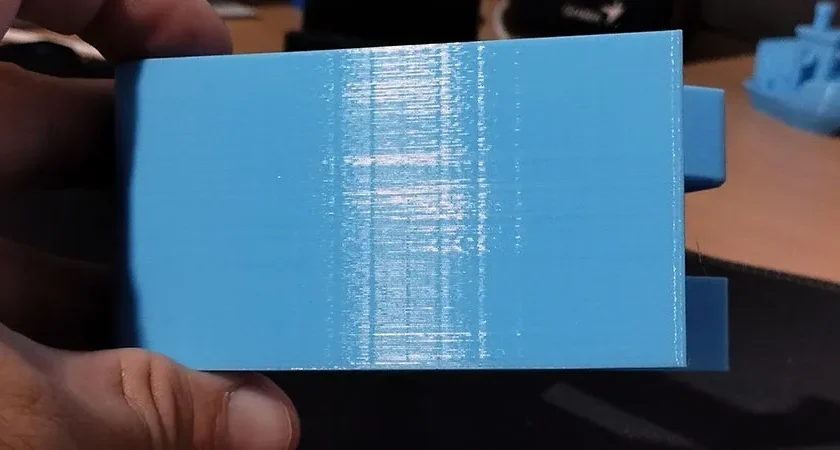
Solution:
- Reduces printing speed and acceleration. Less vibration means better quality.
- Ensure that the printer is on a stable surface. A vibrating table can affect the result.
- Verify that the screws and mechanical parts are properly tightened. Games in the structure generate instability.
8. Problems with the extruder that stops pushing filament.
Another of the most common errors in 3D printing is when the printer stops extruding in the middle of the print, the filament is stuck or the motor cannot push it.
Solution:
- Check if the nozzle is clogged. Use the «cold pull» technique to clean it.
- Make sure that the filament is not stuck. Check the Bowden tube and the extruder.
- Increases the extruder temperature. A poorly melted filament does not flow well.
Suggested publication:
9. Elephant foot
If the base of your print spreads out and looks squashed, you have the infamous «elephant foot.» This happens when the first layer expands more than it should, affecting the accuracy of the part.
Solution:
- Reduces the temperature of the bed. If it is too hot, the plastic softens and expands.
- Adjusts the height of the nozzle. If it is too low, the first layer will be crushed more than necessary.
- Enable «Elephant Foot Compensation» in the cutting software. Some slicers allow correcting this problem by slightly reducing the size of the first layers (see horizontal expansion of the initial layer).
- Use a skirt or a border. This can minimize the impact of the elephant foot without affecting the main part.
10. Gaps between walls (walls that do not stick together).
If you notice gaps between the walls of your print, as if the layers are not joining properly, the problem is usually in the wall thickness setting or in the amount of extruded material.
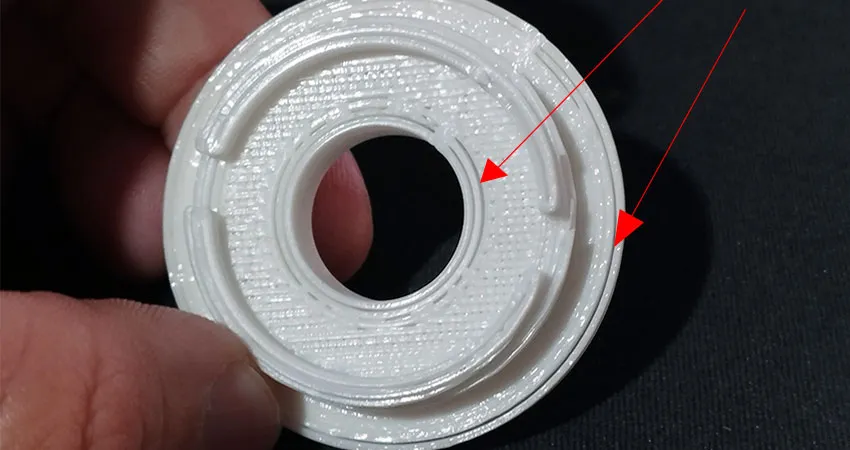
Solution:
- Increases wall thickness. Make sure the thickness is at least 1.2 times the diameter of the nozzle.
- Adjusts the extrusion flow. A low flow rate can generate voids, try raising it slightly in the cutting software.
- Verify the overlapping of the printing lines. In some slicers, you can increase the «wall overlap» to improve adhesion between layers.
- Check the nozzle and extruder. A partially clogged nozzle or a slipping extruder can lead to a lack of material in the print.
Tired of making mistakes in your 3D printing? Let PCBWay.com take care of your projects!

If you've ever had to deal with problems such as adhesion failure, warping or poor quality prints, you know how frustrating it can be.
Rather than continuing to waste time and material, rely on PCBWay.comexperts in rapid prototyping e professional 3D printing.
Its online platform offers you a simplified and uncomplicated process, allowing you to focus on what really matters: your ideas and projects.
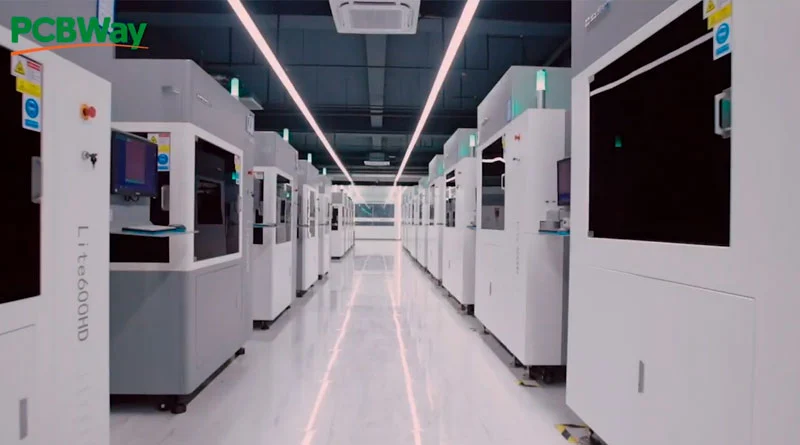
Thanks to its efficient system and network of specialized factories, you can get results in a matter of days, without sacrificing quality. In addition, their prices are highly competitiveThis will allow you to reduce costs at each stage of development.
Another major benefit is its personalized customer service. If you ever have questions or need to make adjustments to your design, the PCBWay.com team is available to guide you every step of the way.
Forget about 3D printing mistakes and let PCBWay.com take care of your projects!
Your easy-to-use platform allows you to load and manage your STL files, choose materials, and specify detailsall in an intuitive and secure way.
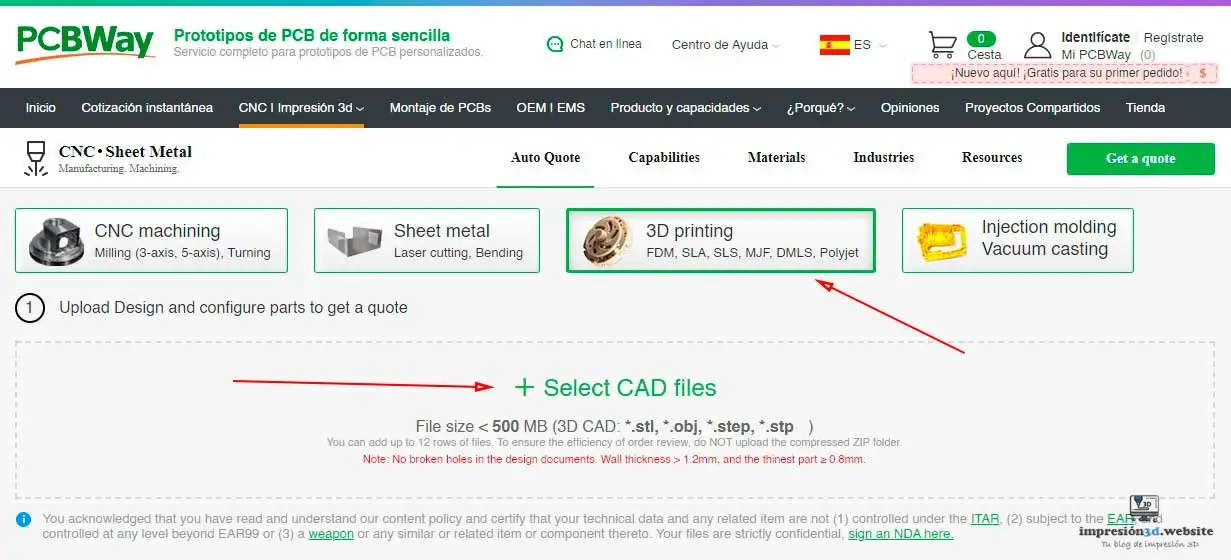
Don't let 3D printing errors and delays affect the quality of your projects.
With PCBWay.comYou can move forward with confidence, knowing that your prototypes will be accurate, fast and affordable.
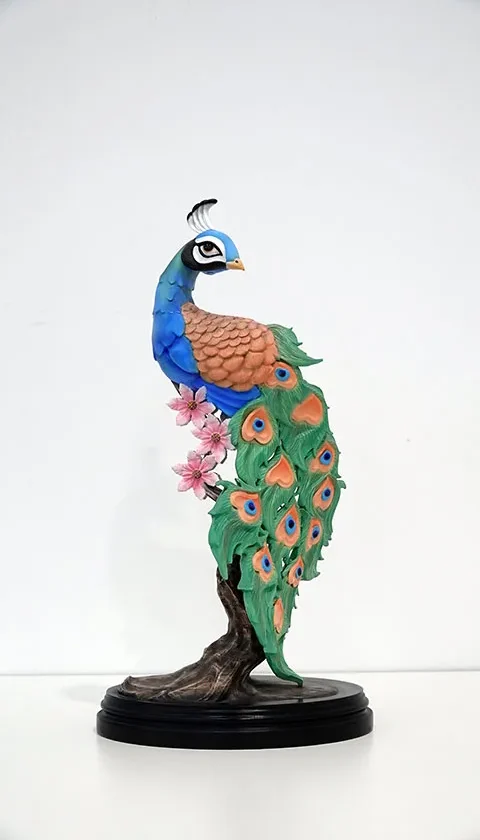
Visit their website now and bring your ideas to reality without worrying about technical details!
Conclusion
These 3D printing mistakes are common, but easy to fix with the right adjustments. Have you had any of these problems? Leave us your experience in the comments and tell us what tricks you use to improve your prints, we'll read you!
You may be interested: